
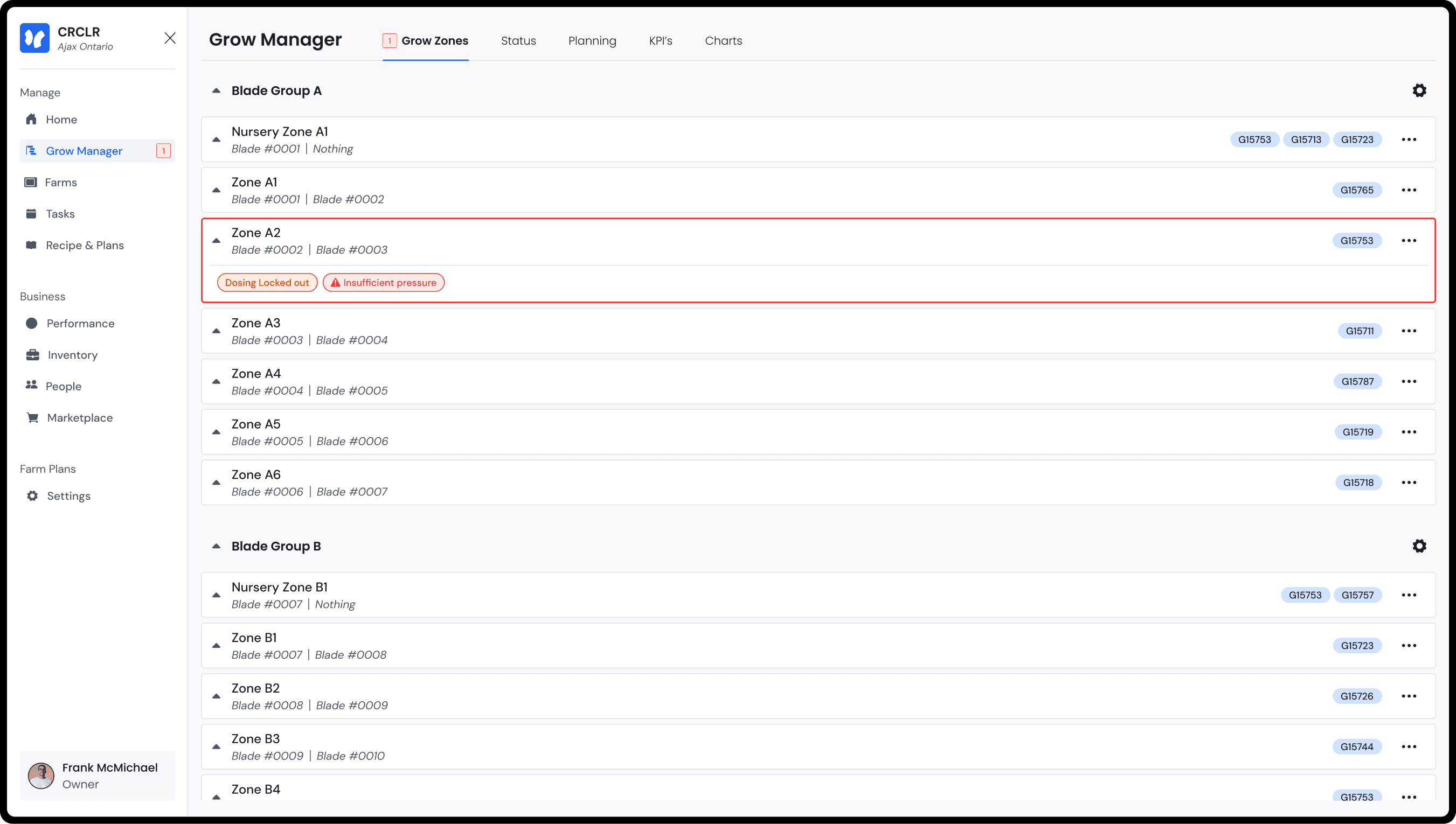
In the process of testing the functionality of our test farms, we introduced error messages to the UI to indicate the hardware malfunctioning. While in testing, we made a series of improvements to reduce downtime of the farm and the ease of use of the UI.
Year:
2024-2026
Responsibilities:
Research
UX Design
UI Design

What is the CRCLR system
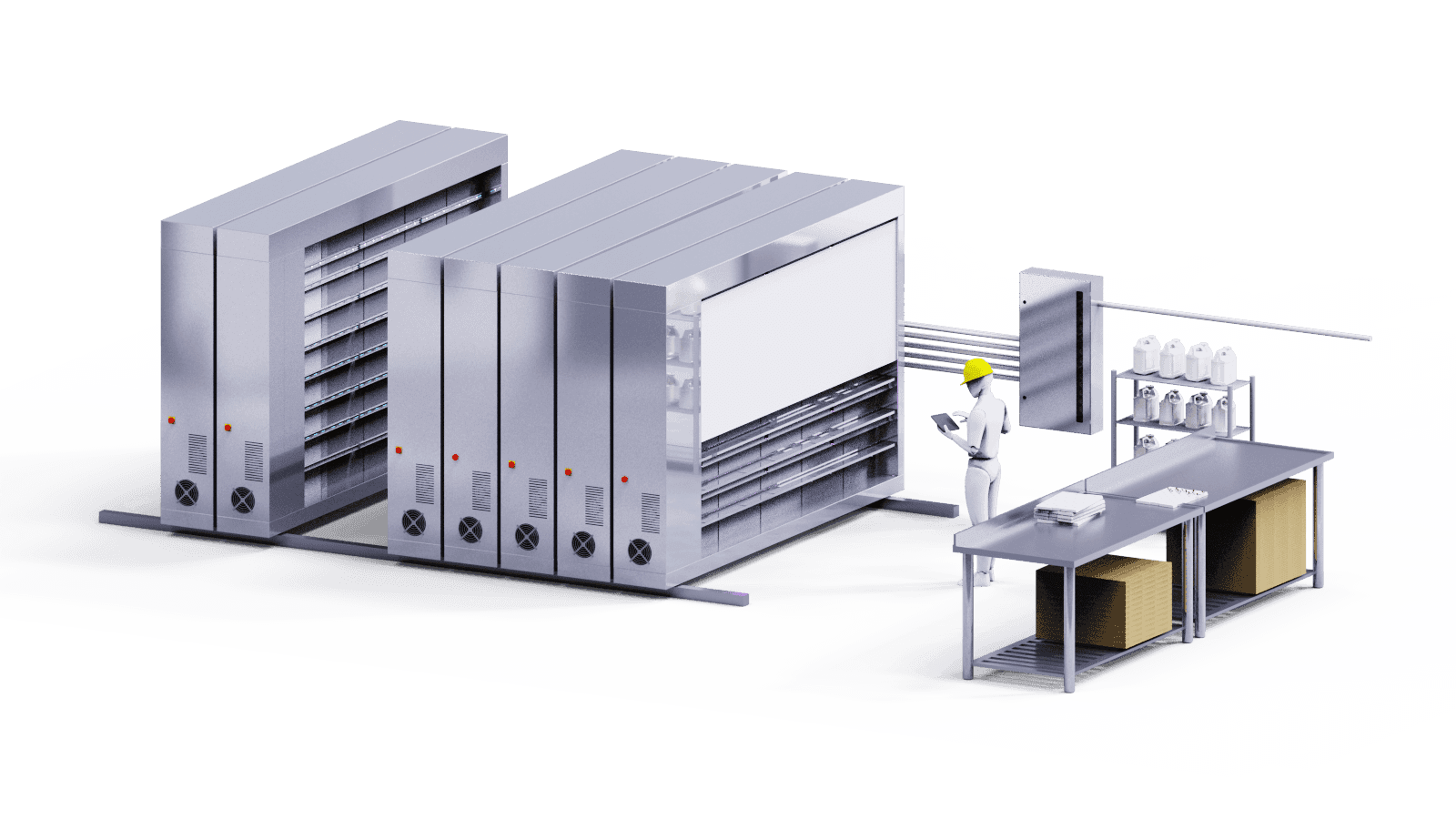
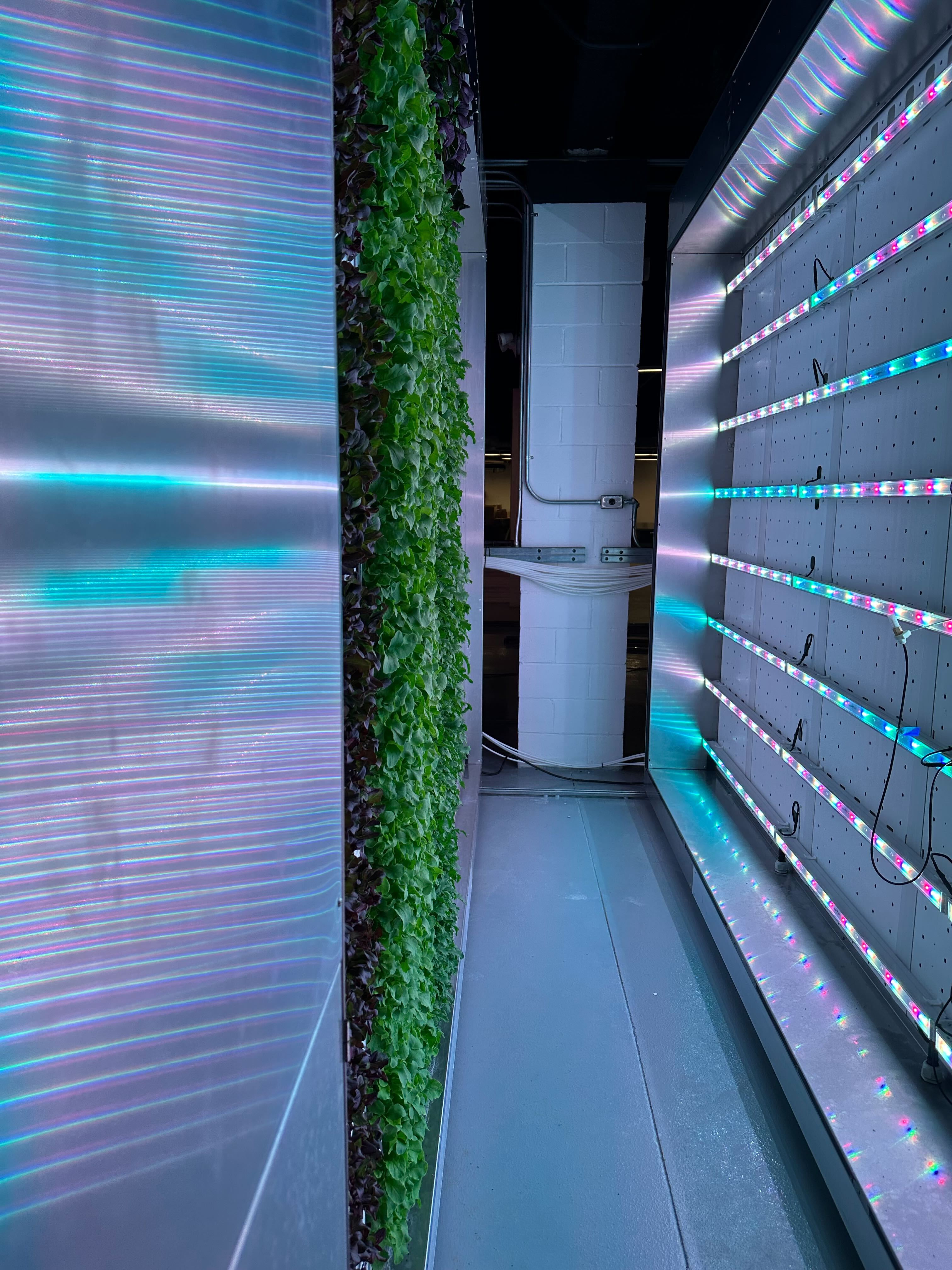
The CRCLR system is a series of movable racks, a nutrient distribution system and a software that allows users to manage indoor farms. These farms operate year round controlling all possible environmental variables such as temperature, nutrients, humidity, light levels & more.
Identifying problems with the previous issue detection UI
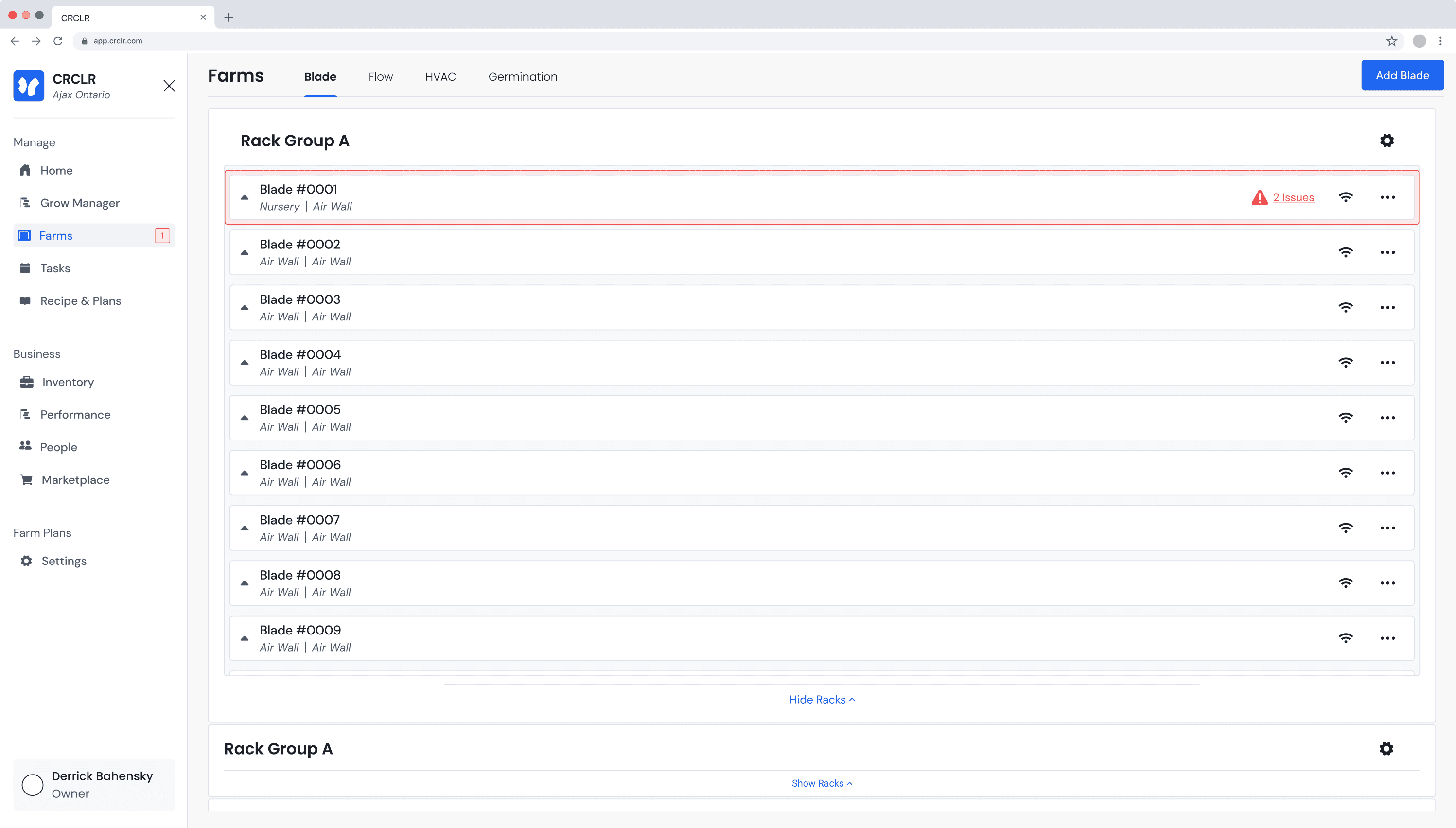
General Issue messages
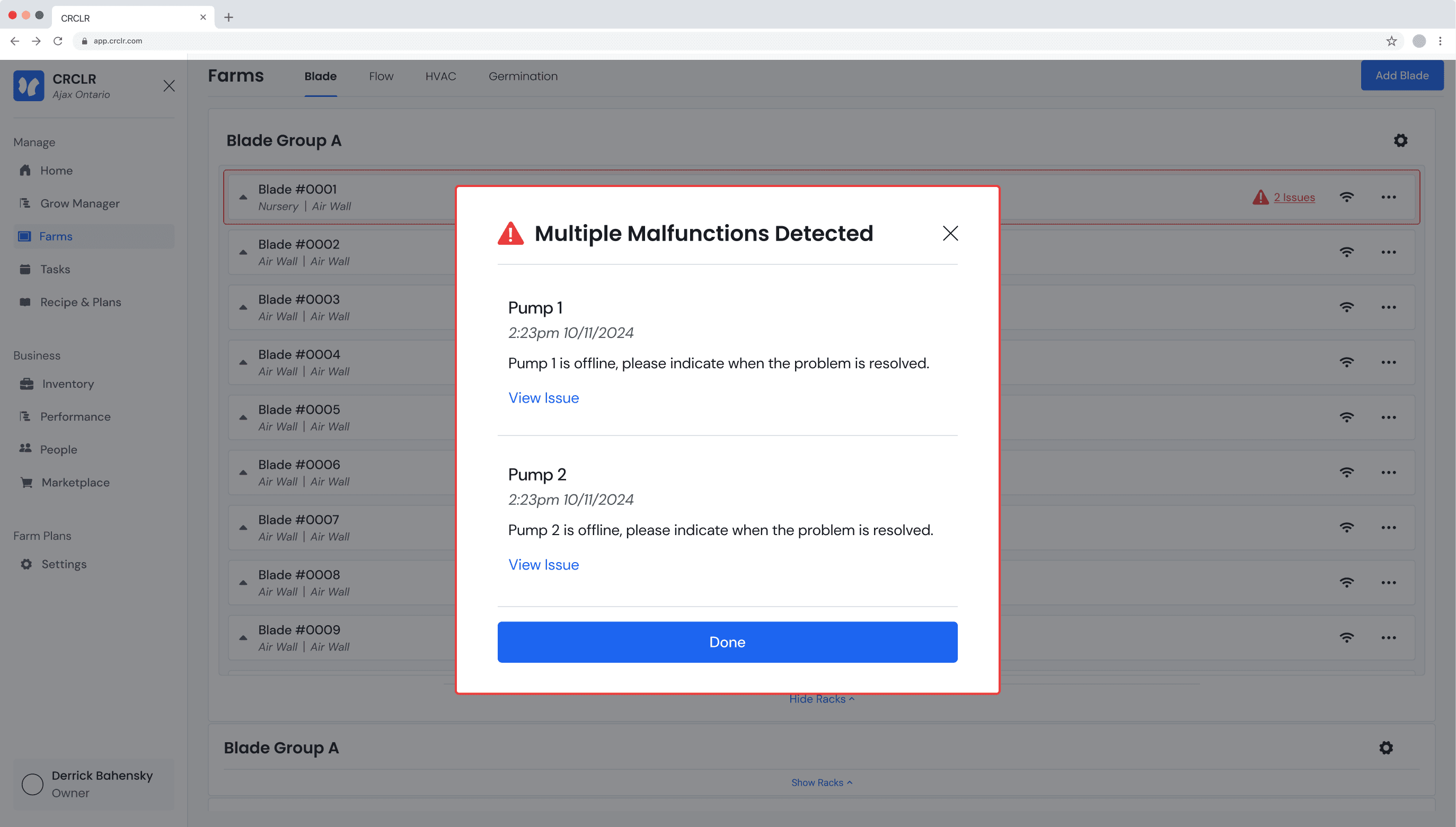
When an issue occurs, a text link will appear indicating the number of issues in the cell the rack issue is occurring in.
Issue Pop ups
When the link is clicked, a pop up appears providing the issues location along with secondary information.

1. Issues were tough to address
Some issues were difficult to understand especially for newer users. Issues relating to dosing can often have multiple causes and addressing them can take multiple steps.

2. Easy to miss issues
Many times the issues were not obvious enough to the users. Some severe issues like a lack of water can result in ruined crops and need to be addressed immediately.

3. No context provided as to what is wrong
Some issues that are more critical need immediate action and we noticed often, simply saying “issue detected” resulted in users ignoring problems far too long.
Identifying all hardware issues within the system
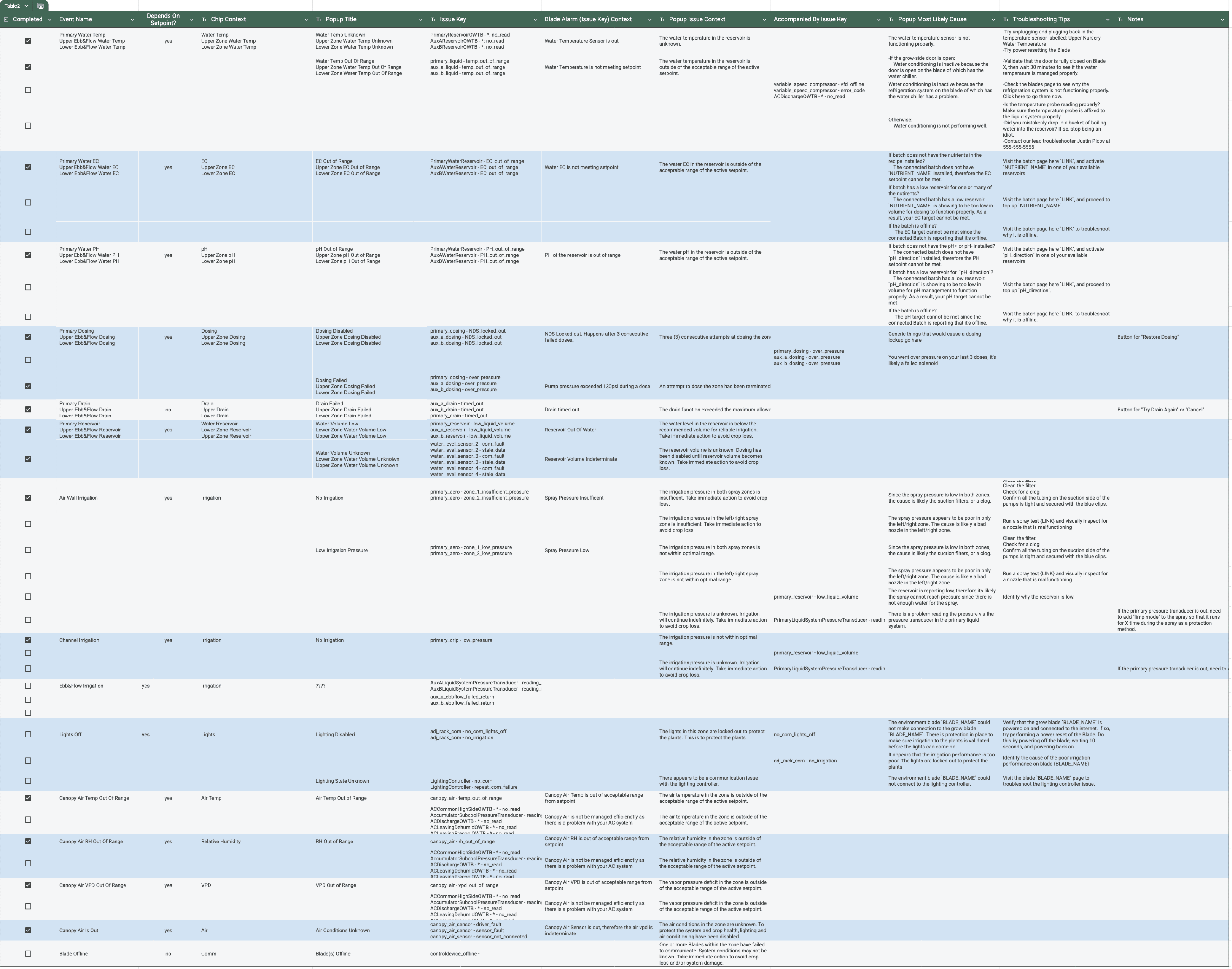
We collected a large document containing all the possible detected issues along with clear actionable steps for trouble shooting and adressing the issues.
A flexible place for issue messages
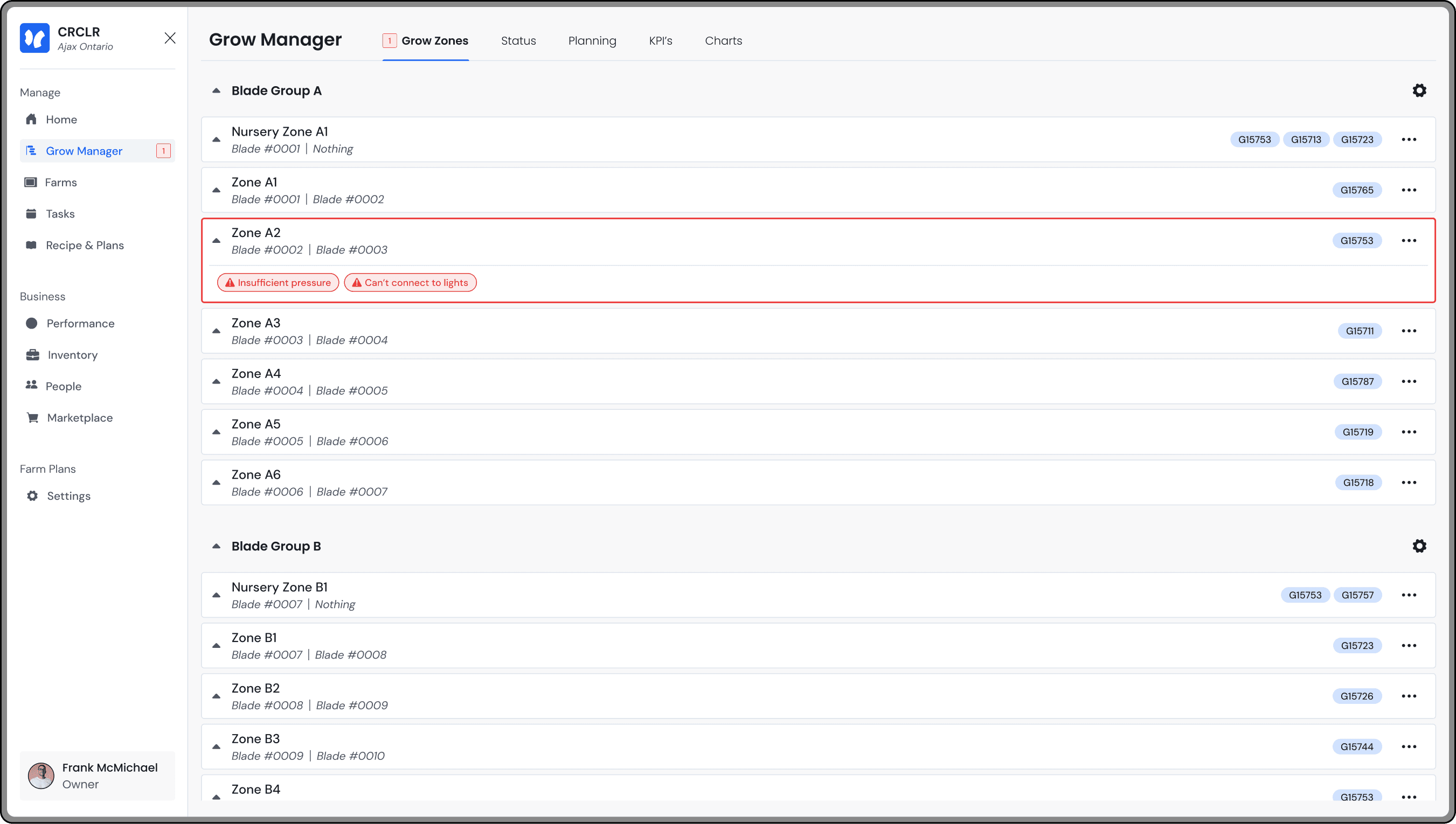
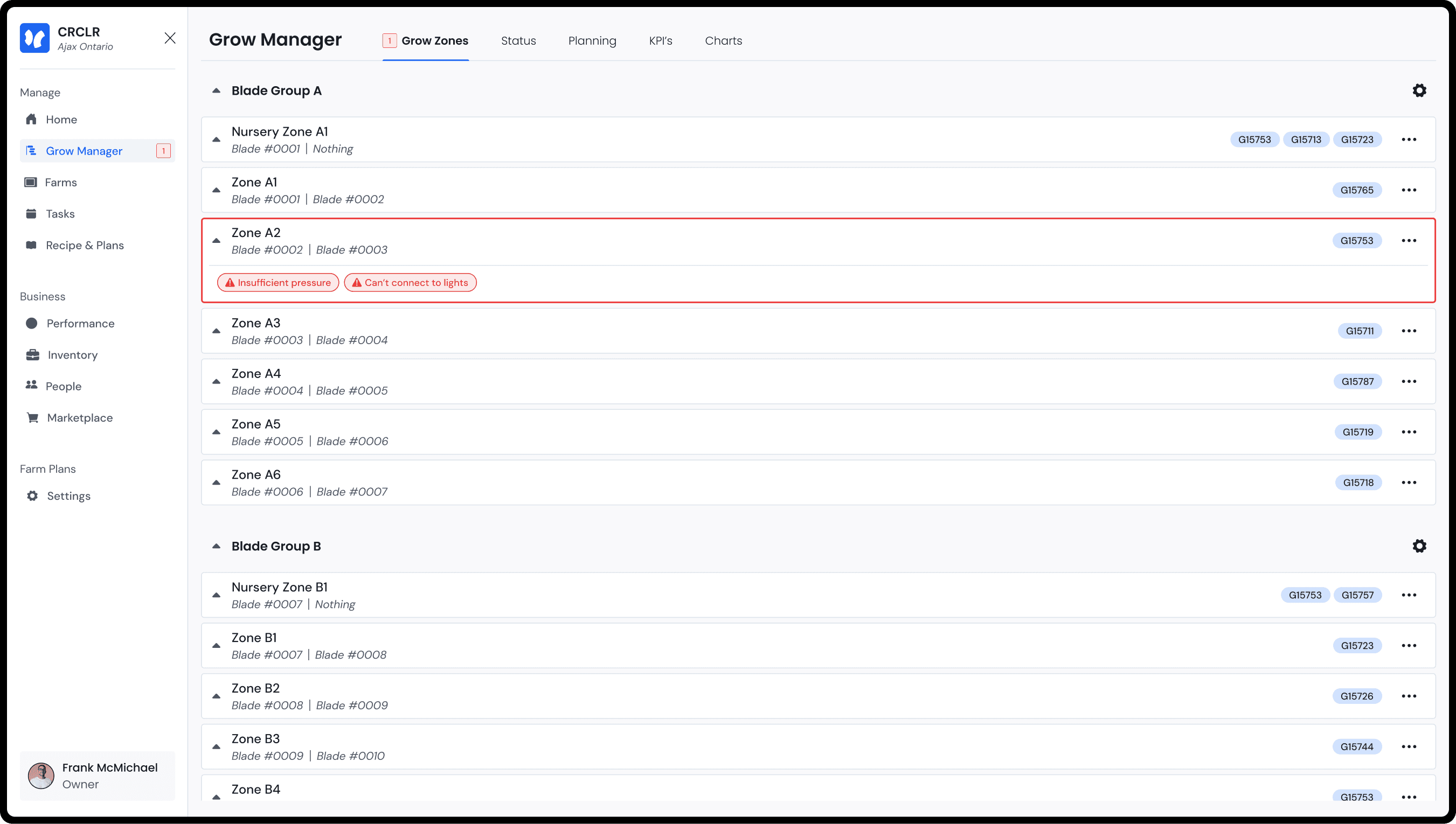
The new issue detection cells were paired with other visual updates. Issues now reside below the content of the cell in an area that only becomes available when needed.
Adding extra context in issue messages
These cells contain a short phrase providing context to the issue in 5 words or less. This lets users know if the issue is persistent or requires immediate concern.


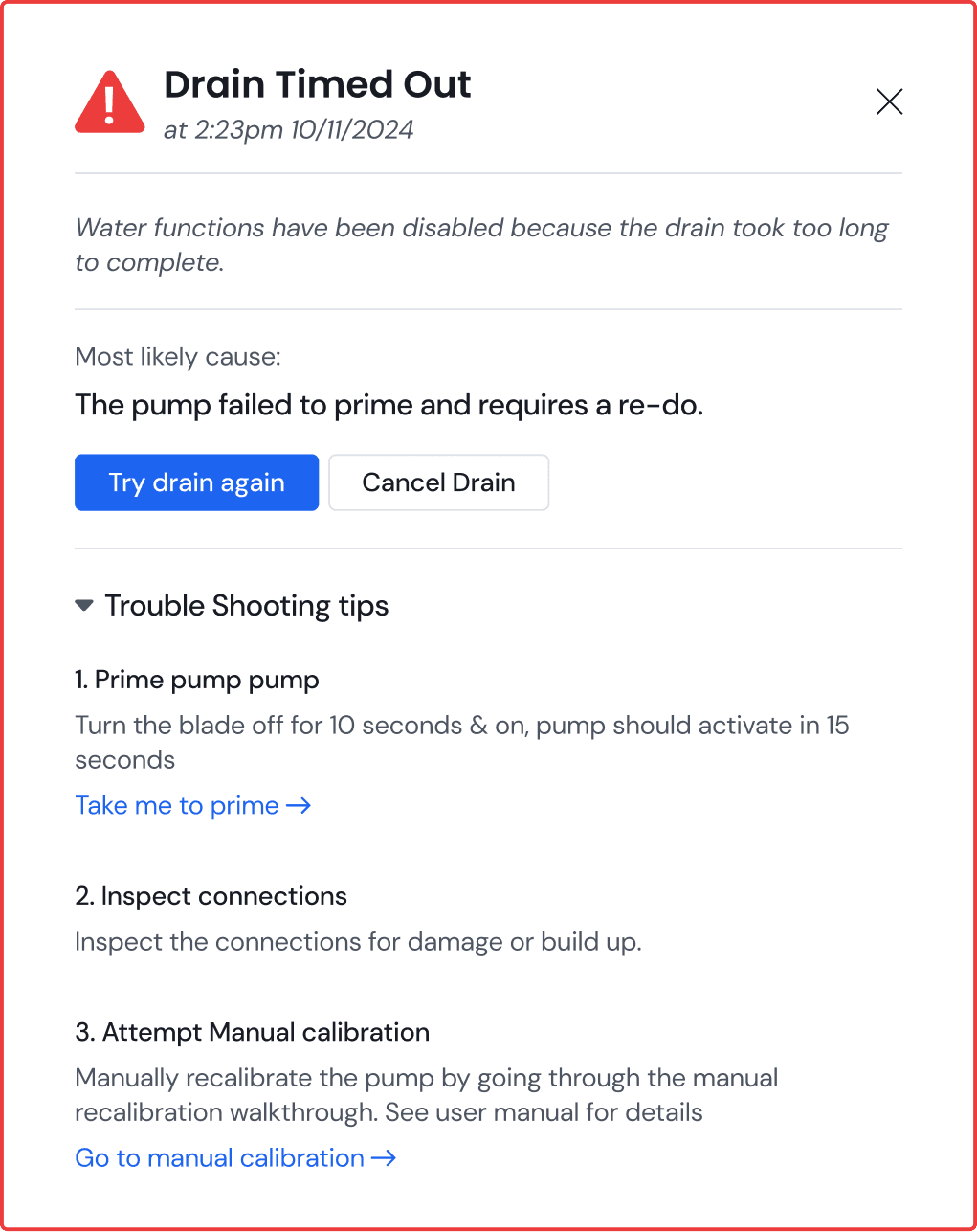
Providing more actionable troubleshooting tips
Clicking an issue now brings up the new pop up. This contains descriptions, likely causes along with actionable troubleshooting tips.
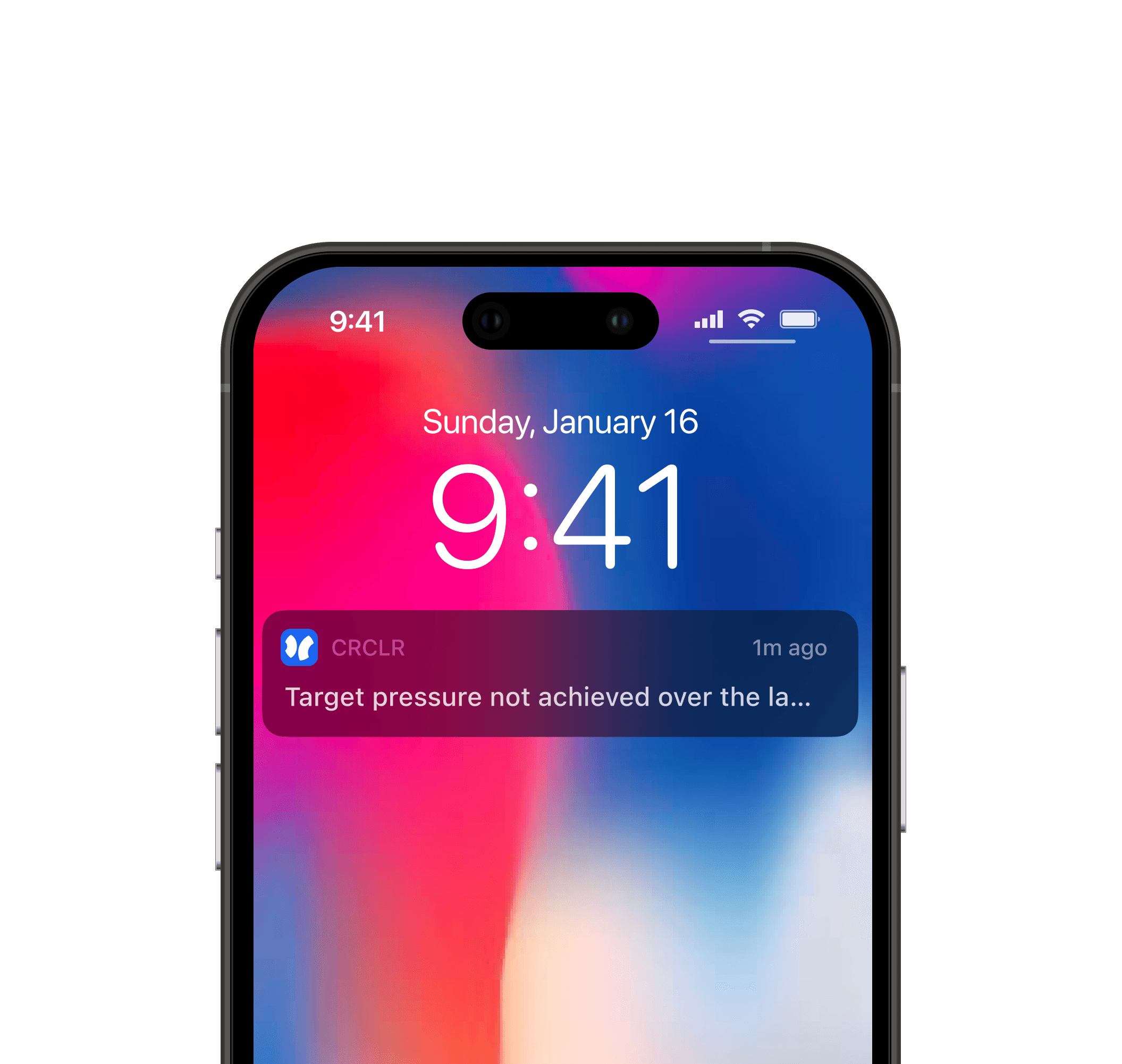
Adding new channels of communication
Alerts can now be configured to send in app notifications, emails or even text messages to selected users.

Users got numb to red
Since all issues were displayed as red, users often ignored more critical issues thinking they were lesser important nozzle issues at first glance.

Too many notifications
We also received immediate feedback that notifications, specifically texts, became overwhelming and needed to be adjusted.
Level 1

Low concern issues that can be addressed within 24 hours before seeing significant effects
Level 2

Medium concern issues that should be addressed as soon as possible before becoming worse
Level 3

Critical concerns that have negative effects on the plants within the hour.
Using colour to define issue levels
The issues and border of the cells now have 3 possible colours denoting issue severity.


Evolving issues
If an issue has a timer associated with it, it has the potential to change colours over time as the severity worsens.
For example, if water stops for 15 minutes its a small problem, for an hour, its critical.
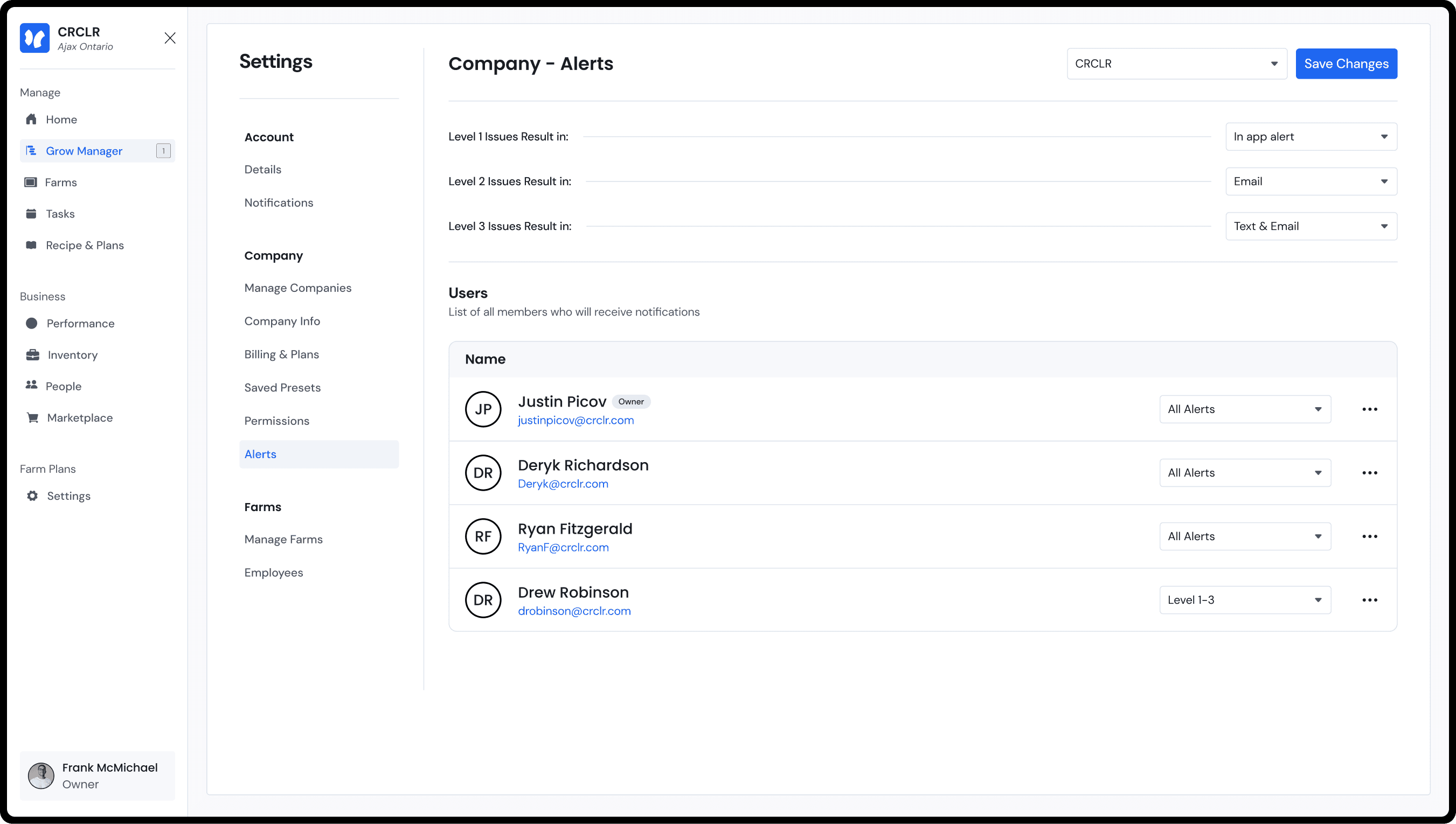
Managing alert responses to match user needs
Users can manage the actionable response related to each issue level to meet their needs. The options include none, in app notifications, emails, and text messages
Wins: Strong feedback among farmers
The first batch of test farmers responded overwhelmingly positive to this roll out. One notably calling it a "crucial update for farm profitability".
Wins: Reduced downtime
When analyzing the length of unresolved issues both critical and small, there was a clear decrease in duration of these issues.
Fail: Confusing copy
The phrasing of issues is still being worked out in a way that understandable to users of all experience levels.
50%
Reduction in total crop failures
20%
Reduction in farm down time
15+
New issues added to troubleshooting document
Previous